Moodle Quiz & Question Bank: A Complete Guide
Learn how Moodle 5's Quiz and Question Bank really work: the new bank-based model, question types, behaviours, randomisation, overrides, exam security and reports — with practical tips to build fair, reliable assessments.
The Quiz is one of Moodle's most powerful activities, and in the 5.x series the question bank behind it has been redesigned from the ground up. This complete guide walks you through the entire ecosystem with practical, no-nonsense advice: how the new bank-based model differs from the old category tree, how to organise, tag and import questions at scale, which question types to use and how they're scored, how question behaviours control what learners see and when, and how to randomise, restrict, override and secure your assessments. It also explains the reports that tell you whether your questions actually work, the related activities worth knowing about, and the best practices that separate a good quiz from a great one. No programming skills required — just a clear, structured tour of how quizzes and question banks fit together in Moodle 5.
Why the Question Bank changes everything
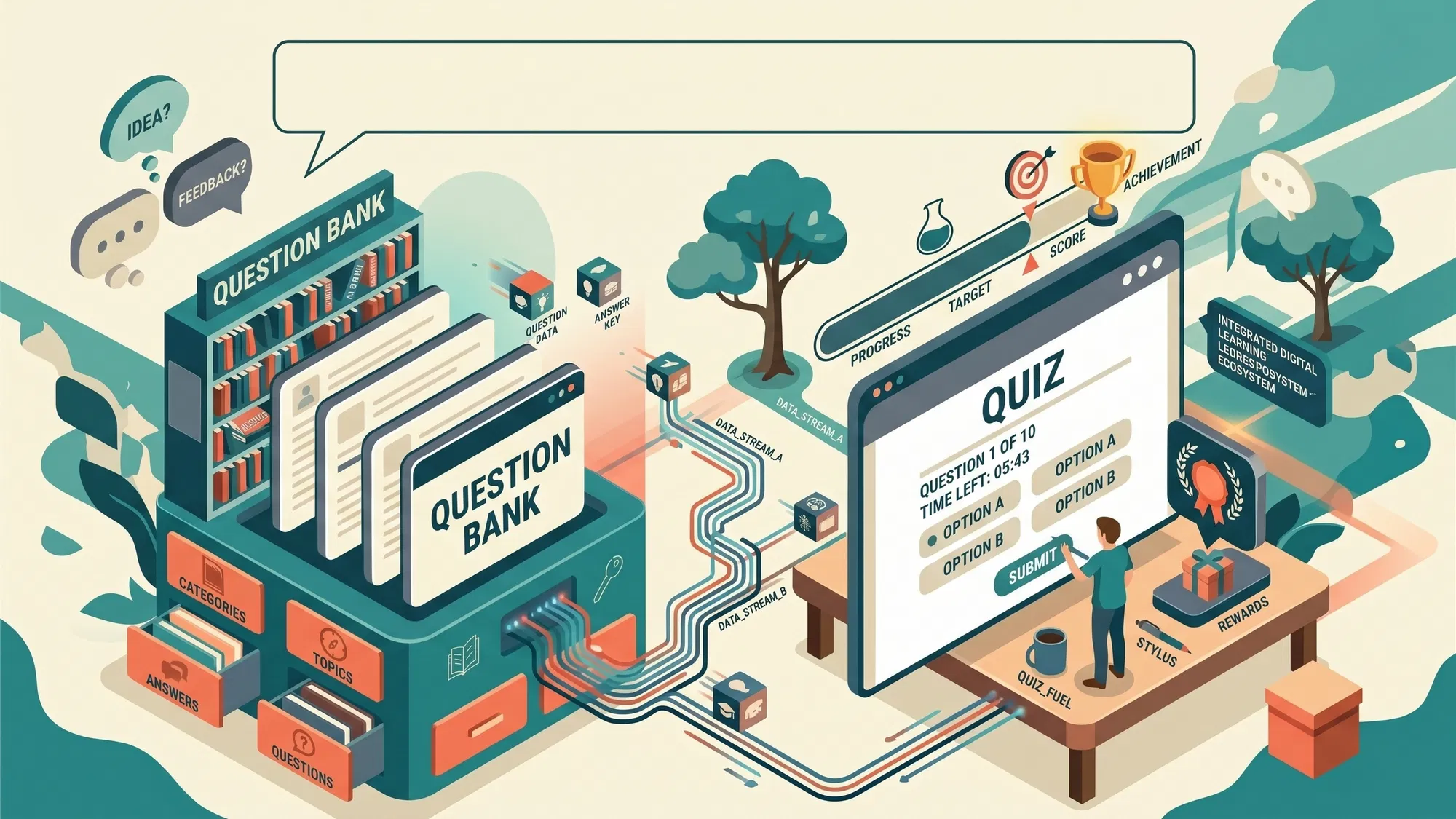
The single most important idea in Moodle's assessment tooling is this: questions don't belong to the quiz that delivers them. They live in a question bank, and quizzes pull from it. That simple separation means the same question can be reused across many quizzes and many courses, so you build your assessment assets once and reuse them for years.
With the 5.x series, Moodle changed this model substantially compared with the 4.x line:
- A course can now contain more than one question bank.
- Banks fall into two families:
- the course shared bank — questions are reachable from quizzes and reusable in other courses where you have a teacher role;
- the quiz bank — questions created inside a single quiz live here and cannot be reused elsewhere.
- Questions in a shared bank can be shared with other teachers by assigning roles on the bank (teacher, non-editing teacher, student); sharing across courses requires the
moodle/question:useallandmoodle/question:useminecapabilities. - Versioning is available: a quiz can always use the latest version of a question, or pin a specific version — ideal for preserving the exact wording used in an already-run assessment.
If you're upgrading from an earlier version, your questions are reorganised automatically into the new banks (system and course-category level categories flow into shared banks, including structures called "shared teaching resources"). The official "Question banks in upgraded sites" page covers this migration in detail.
The practical takeaway: questions you intend to reuse should be created or imported into the course shared bank, not inside an individual quiz.
A quick word on terminology
Before we go deeper, here are the terms you'll meet again and again:
| Term | What it means |
|---|---|
| Question bank | The space where questions live, independent of any individual quiz |
| Question category | A grouping (possibly nested) inside a question bank |
| Tag | A label applied to a question, independent of the category hierarchy |
| Quiz | The activity that delivers questions and collects answers |
| Attempt | A single run of the quiz by a participant |
| Maximum grade | The quiz's total score, the sum of its questions' points |
| Grade to pass | The minimum grade required for the quiz to count as passed |
| Activity completion | The rule that determines whether an activity counts as complete for a participant |
| Override | A change to the delivery rules applied to a single user or group |
| Question behaviour | The rule that defines when a learner answers, whether they can retry, and what gets shown |
Organising your questions for the long haul
A question bank is only useful if you can find things in it. Moodle gives you a layered set of organisational tools:
- Categories and subcategories form a nested tree inside the bank — the backbone of your archive.
- Question names deserve meaning: when you have many questions, a consistent prefix makes them much easier to scan and sort in lists.
- Tags are labels you can use to filter the bank. Because tags cut across categories, they're perfect for cross-cutting attributes like difficulty, learning objective, question type, or review status.
- Per-question actions include editing, duplicating, previewing, and deleting. A question that's in use isn't deleted — it's hidden instead.
- Bulk operations let you move groups of questions between categories, and export or import an entire category at once.
- Search and filters work by text, by type, and by tag; you can also show or hide question text and include hidden or no-longer-used questions.
One behaviour to plan around: copying a course or duplicating a quiz also duplicates its questions. To avoid ending up with archives full of copies, keep a single reference archive and pull from it in your quizzes — rather than copying quizzes between courses.
Importing and exporting questions
You can create questions one by one, or write them into a text file and import them in bulk. The available formats are:
| Format | Types supported | Typical use |
|---|---|---|
| GIFT | Multiple choice, true/false, short answer, matching, missing word, numerical, essay | The most complete text format; supports many types in a single file |
| Aiken | Multiple choice and true/false | Minimal and rigid |
| Moodle XML | All types, with full structure | Exchange between Moodle instances; not suited to hand-writing |
| Missing word | Text completion | Texts with words to insert |
| Embedded Answers (Cloze) | Multiple answers inside one text | Mixed-component questions |
| Blackboard, WebCT, Examview, Learnwise | Various | Migrating from other platforms |
A few operational rules are worth remembering:
- GIFT uses one question per block, blocks separated by at least one blank line; the correct answer is marked with
=, wrong answers with~, answer feedback with#, general question feedback with####, comments with//, question weighting between%..%, and the destination category with$CATEGORY: Path/Category. - For multiple-answer questions in GIFT, give partial weights to the correct answers (without any single one reaching 100%) and usually negative weights to wrong ones.
- Aiken requires the stem on a single line, options marked
A.B.C.one per line, and a finalANSWER:line with the correct letter. - Encoding matters: files must be UTF-8. A byte-order mark (BOM) at the start of the file, or typographic quotes introduced by a word processor, are the most common causes of failed imports.
- Moodle XML preserves the most information (including feedback), making it the most reliable format for moving questions between instances.
- The import screen also lets you control how category information in the file is handled, and how invalid grades are treated (report the error, or round to the nearest valid value).
The question types at your disposal
Moodle ships a rich set of question types, and nearly all are graded automatically — the essay is the notable exception, requiring manual marking (there's an auto-grading variant available as a plugin).
| Type | Grading | Highlights |
|---|---|---|
| Multiple choice | Automatic | Single or multiple answers; per-answer weights allow partial credit and negative options |
| True/False | Automatic | Just two options |
| Short answer | Automatic | Text comparison, with * as wildcard; case sensitivity is configurable |
| Numerical | Automatic | Accepts a margin of error; units and multipliers supported |
| Calculated | Automatic | Values generated from datasets via placeholders |
| Calculated multichoice | Automatic | Multiple choice with calculated values |
| Simple calculated | Automatic | A simplified variant of the calculated type |
| Matching | Automatic | Match items between two lists |
| Embedded Answers (Cloze) | Automatic | Multiple answers within one text; components can be mixed |
| Drag and drop onto image / into text / markers | Automatic | Drag elements onto an image or into text, or place markers |
| Select missing words | Automatic | Dropdowns within a text |
| Ordering | Automatic | Arrange items into the correct sequence |
| Essay | Manual | Free response, marked by hand; auto-grade variant available as a plugin |
| Description | None | Not a question at all — just displayed text |
A few general points:
- Questions award points; there's no per-question "completed/not completed" state. Completion is a property of the activity (see the grades section below).
- Many types support partial credit (weighted multiple choice, proportional matching, Cloze per component).
- Several multi-component types offer per-question answer shuffling.
- Beyond the bundled set, third-party types can be distributed as plugins.
Building a quiz
The Quiz is an activity you add to a course section, and you never create questions inside it — you add them from the question bank. Within the quiz there's its own structure, independent of the bank's:
- Page breaks split the quiz into pages. You can insert them manually, or generate them in bulk with the repagination function, which lets you define how many questions appear per page.
- Sections (section headings) group questions and appear in the quiz navigation. A section runs from one heading to the next, and headings can be placed at the start of a new page.
- Question order follows the order you add them, can be changed by dragging, and can optionally be shuffled.
When a section is organised with headings, you can attach a dedicated grade item to it, and per-section grades are available in the "Marks per section" report.
The link between bank and quiz is purely about where questions come from: a quiz can pull from different categories and arrange them however you like. The quiz structure doesn't need to mirror the bank's.
You can achieve the same organisational goal (say, splitting by chapter) in two equivalent ways: one quiz divided into sections, or several Quiz activities, one per chapter. The real difference is the granularity of grading and completion.
Quiz settings that matter
Quiz settings are numerous; the ones that actually shape how things work are:
- Timing: open and close dates/times, a time limit, and what happens when time runs out (auto-submit, or a grace period for submission if configured).
- Grade: the gradebook category, the grade to pass threshold, the number of allowed attempts, and how the final grade is computed across attempts (highest, average, first, or last).
- Layout: questions per page, question order, and navigation method.
- Question behaviour: covered in the next section.
- Review options: the matrix that controls what a participant sees and when — content like the attempt, correctness indication, score, specific feedback, general feedback, right answer and overall feedback, across moments like during the attempt, immediately after, later while the quiz is open, and after the quiz closes.
- Overall feedback: messages differentiated by grade band.
- Extra restrictions on attempts: a password, network address restriction, delay between attempts, and browser security.
- Common settings, access restrictions, activity completion, tags and competencies.
For exams with many participants starting simultaneously, there's also attempt pre-creation, which reduces server load at the start of the test.
Question behaviours: how learners answer
Behaviours don't decide how points are awarded (that's the question type's job). They decide when a participant can answer, whether they can retry, what they see and when, and how penalties apply.
| Behaviour | How it works |
|---|---|
| Deferred feedback (default) | Answer everything, then submit; grading and feedback appear only afterwards |
| Deferred feedback (CBM) | As above, plus a per-question declaration of certainty |
| Immediate feedback | Each answer is graded immediately; a single, unchangeable response |
| Immediate feedback (CBM) | As above, with a certainty declaration |
| Adaptive mode | Retry the same question within the attempt, with a penalty per error |
| Adaptive mode (no penalties) | As above, without penalties |
| Interactive with multiple tries | Like adaptive, with a check button and hints; try count is hints plus one, with a minimum of three |
| Manual grading | No automatic grading at all; fully manual marking |
Two things to keep aligned with the behaviour you choose:
- The "During the attempt" review options (especially correctness indication and feedback): if they're off, adaptive and immediate behaviours give the learner nothing visible to act on.
- The "Allow redo within an attempt" option, which permits repeating a question inside the same attempt.
Two related options are also worth knowing:
- "Each attempt builds on the last" keeps previous answers in multi-attempt quizzes. It isn't available in adaptive mode and forces the same questions in the same order, regardless of randomisation.
- "Shuffle within questions" activates answer shuffling at the quiz level, affecting only questions that have the option enabled.
Behaviours available across the site are managed at the administration level, and additional ones can be delivered as plugins (including variants that ask learners to justify their answers).
Grades, thresholds, completion and regrading
- The quiz has a maximum grade — the sum of the points assigned to its questions. Each question has a default grade that you can change and weight.
- The grade to pass threshold separates passed from failed, and is what activity completion latches onto.
- The gradebook collects activity grades automatically. A grade item can be a Value (numeric), a Scale (an ordered list of values), Text, or None.
- With a scale, the pass threshold is expressed as a position in the scale: for "Insufficient, Sufficient, Good, Excellent", the threshold is the second value. With a numeric grade it's more direct.
- Activity completion can require viewing, receiving a grade, or reaching a passing grade. Use the last condition when the next activity should only unlock on success.
- One condition to watch: if an activity has both "must receive a grade" and "must receive a passing grade" enabled, an unsuccessful attempt can still count as complete. On a path that should progress only on a pass, set the condition explicitly to the pass.
- For activities organised into headed sections, you can have a per-section grade item.
- After editing a question you can regrade already-awarded grades; regrading won't touch manually entered grades and may not apply if the number of options in a question changed after it was delivered.
Randomisation and question selection
Randomness can be applied at three independent, combinable levels:
- Question order: shuffle at the quiz level and, with sections, per individual section — so you can shuffle one part and keep another fixed.
- Answer order within a question: a per-question option (multiple choice, matching) and a general quiz switch.
- Question selection: the random question, which draws the required number of questions from a category. The same question isn't repeated within one attempt, and you can add multiple random-question groups from different categories to balance the paper's composition.
A few limits and features:
- The random question draws from a category (including descendants if requested) and can be filtered by tag.
- There's a single, uniform drawing algorithm — no difficulty weighting, no adaptive selection, and no memory of which questions a participant has already been given.
- A random question is worth 1 point by default.
- Randomisation reduces the reliability of quiz statistics (more on this below).
Restrictions, groups and conditional access
These features decide who sees what, and under what conditions:
- Access restrictions on activities and sections make an item visible or available when conditions hold, combinable with each other (e.g., dates, a grade in another activity, completion of another activity, group membership). Conditions can be required together ("and") or at least one ("or").
- Groups and groupings let you assign an activity to a subset of participants.
- Conditional completion lets a later activity open only if the previous one is completed or passed.
Combined, these let you build sequential learning paths without touching a line of code.
User and group overrides
An override changes the delivery rules for individual participants or groups, without changing the quiz for everyone.
You can override: password, open and close dates, time limit, and number of attempts. You can't override content, score, grade to pass, or behaviour.
The precedence rules matter:
- A user override beats any group override.
- If a participant belongs to several groups with overrides, each field takes the most permissive value: earliest open, latest close, longest time limit, highest attempt count, and acceptance of any of the groups' passwords.
- If the quiz isn't accessible for other reasons (general dates, group restrictions, a hidden quiz), the override is inactive and the system flags it.
Overrides apply to an individual quiz (and, in the same way, to other activities like assignments).
Security and exam control
Moodle's exam-security toolkit, in increasing order of restrictiveness:
- A password to enter the quiz.
- A network address restriction.
- A delay between attempts.
- Browser security: full-screen presentation with JavaScript restrictions.
- Safe Exam Browser (SEB): a dedicated browser learners install, configurable as a quiz access rule — set up manually, via a template, or via a config file, with an exit password and a browser verification key.
- Offline quiz: a plugin for paper-based exams answered on optical mark-read sheets.
A honest caveat: remotely you can't fully control a participant's device. These tools raise the bar, and how far you go should match the context.
Reports: is your quiz working?
Once a quiz has attempts, these reports become available:
- Grades: a list of attempts with overall and per-question grades, including regrade.
- Responses: a table of answers, one row per participant; for interactive behaviours you can view first, last, or all tries.
- Statistics: psychometric analysis of the quiz and its questions.
- Item analysis: per-question analysis, with indicators like facility index and discrimination power.
- Manual grading: marking of open responses.
Two things to keep in mind: with multiple attempts, statistics use each participant's first attempt by default; and quizzes using random questions don't give everyone the same set, which affects the analysis.
Related activities and plugins worth knowing
A handful of activities and plugins orbit the question ecosystem and shine in specific contexts:
- Lesson: content with branching paths based on answers. Branching is a Lesson feature; the Quiz doesn't branch.
- StudentQuiz: an activity where participants create, rate and comment on questions.
- Quizventure / Quizgame: game activities built on course questions.
- Question bank (qbank): the bank as an activity in its own right in the 5.x series.
- Adaptive Quiz: a plugin for computer-adaptive-test (CAT)-style assessments.
Best practices for assessments that actually teach
- Alternate formative checks (frequent, low-stakes) and summative exams, with different goals and configuration.
- Treat feedback as a teaching element, not just a grading outcome.
- Review the statistics after delivery to gauge question quality and difficulty.
- For the most common use cases (grading, attempts, importing, grade visibility, managing random questions) the dedicated Quiz FAQ pages are a great first stop.
Partnering for Success: Comprehensive LMS Service Provision
Whether you're designing a single high-stakes exam, restructuring a large shared question bank after upgrading to Moodle 5, or building a full assessment strategy across a multi-course platform, careful configuration makes all the difference. We offer comprehensive LMS services, specialising in the strategic implementation, customisation, and seamless hosting of leading platforms, including Moodle, Tutor, and Canvas. From question bank migrations and quiz workflow design to bespoke plugin development and secure exam delivery, our team ensures your platform is optimised for peak performance, security, and exceptional learner engagement — turning your assessment strategy into a distinct competitive advantage.